


Fill-Ins · Word Fit Puzzles
4.74.45K Reviews
App Specs
- Version
- 1.49
- Updated On
- License
- Free
- Downloads
- 1,000,000+
- Developer
- Razzle Puzzles
- Categories
- Word
- Platform
- Android
Screenshots
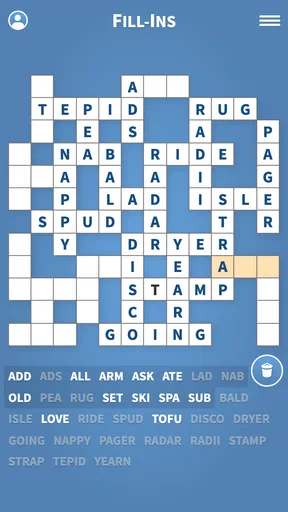
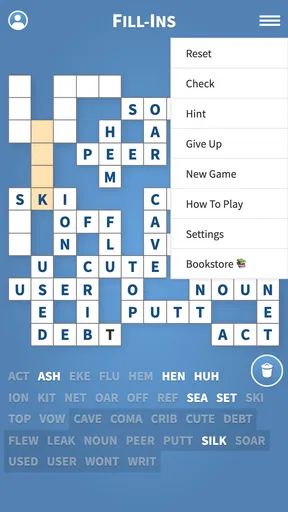
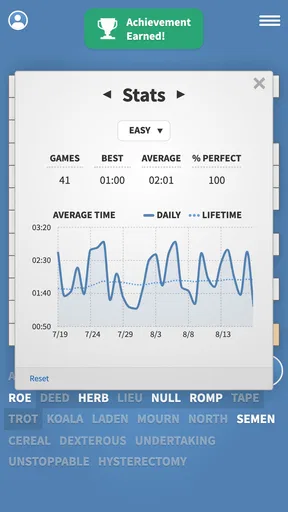
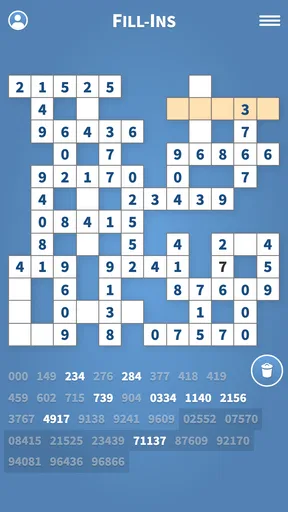
 Analysis by AppCompare
I spent time with Fill-Ins · Word Fit Puzzles as a quiet, focused word game rather than a quick reaction challenge. Its basic idea is simple: you place given words into a crossword-style grid until every entry fits. That sounds familiar, but the appeal comes from the way each puzzle turns vocabulary, spelling, and deduction into one small logic problem. I found it especially easy to pick up when I wanted something more thoughtful than a casual matching game, but less demanding than a full-length strategy title.
Created by Razzle Puzzles, this free word game has built a sizeable audience, with more than a million installs and a 4.7 average from roughly 16 thousand ratings. Those figures suggest that its straightforward format has lasting appeal. It is rated Everyone, so the presentation suits a broad audience, including younger players who enjoy word puzzles and adults looking for a low-pressure mental break.
How the puzzle format feels in everyday play
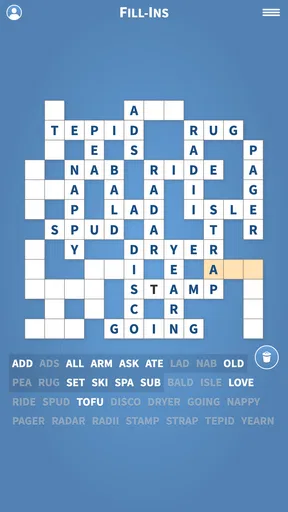
The first thing I noticed is that Fill-Ins does not ask me to invent answers from a clue. Instead, the challenge is fitting supplied words into the correct spaces. That changes the mental rhythm completely. I am not searching for a definition or trying to guess a hidden phrase; I am comparing word lengths, checking crossing letters, and deciding which placement gives the rest of the grid the best chance of working.
That makes each board feel like a compact deduction exercise. A long word may look easy because it has fewer possible locations, while a short word can become surprisingly troublesome because it fits in several places. I learned to avoid placing every obvious answer immediately. Sometimes the most useful move is to hold a word back, fill a more distinctive entry, and let the crossing pattern remove the uncertainty.
This is where the game feels more satisfying than a basic anagram activity. The letters are not enough on their own; position matters. A word that appears to fit may create an impossible combination elsewhere, so I have to think beyond the square in front of me. That gives the experience a gentle strategic layer without making it feel like work.
A good choice for short, repeatable sessions
I could easily play one puzzle during a coffee break, while waiting for an appointment, or before going to sleep. The format does not require a long setup or a large time commitment. I can stop after making a few placements and return later without feeling that I have lost the point of the session. This is useful for anyone who prefers games that respect interruptions.
It also works well as a shared activity. If someone nearby enjoys word games, two people can look at the same grid and debate which entry belongs in a particular row. Because the puzzle depends on visible structure rather than fast tapping, it is suitable for a relaxed conversation. I would not choose it for a party or a noisy group, but it is a pleasant option for one-on-one play.
Worth Reading Before You Choose

EA SPORTS FC Mobile 26 Is a Bigger Football Game, but It Takes Time

Flipboard Shows What News Apps Must Do Beyond the Feed

Switching to Android Auto Means Rethinking Your Driving Routine

Google Calendar Makes a Crowded Week Easier to Manage

Ludo King Makes the Most of the Minutes Between Plans

Baby Panda World Brings Quick Play to Modern Phones, but Its Game Library Feels Busy
One practical tip made a noticeable difference for me: I started by scanning for the longest words and the entries with unusual letter combinations, then used those placements to narrow down shorter words. Treating the board as a network instead of a collection of separate answers reduces random guessing. It also makes a difficult puzzle feel more manageable, because every confirmed crossing gives useful information.
Speed expectations and the feel of the interface
Fill-Ins is not built around speed in the way an arcade word game is. The important question is not how quickly I can tap, but how quickly I can understand the grid and make a confident decision. In normal play, the lightweight puzzle concept feels responsive enough for its purpose. There are no obvious reasons to expect the kind of heavy processing associated with a visually complex game, and the simple presentation keeps attention on the letters.
That simplicity is a strength when I want a calm experience. I am not waiting for a large scene to load or watching effects compete with the puzzle. The board remains the main event. For me, this made the game feel comfortable on an everyday phone rather than something that demands a powerful device.
There is also a trade-off. Players who enjoy animated rewards, elaborate themes, or constant visual change may find the presentation restrained. The game’s appeal depends on whether you enjoy examining a grid. If you need rapid stimulation to stay interested, the measured pace may feel slow even when the game itself is working properly.
When I played in short bursts, the low-pressure structure encouraged careful decisions instead of hurried ones. I could take a moment to count spaces, compare possible crossings, and revise my plan. That is a better fit for concentration than for reflexes. The game rewards patience, so trying to rush through a board can actually make the experience less efficient.
What happens during heavier use
The most demanding moments are not technical in the usual sense. They happen when I continue through several puzzles and begin relying on the same mental habits. After a while, I noticed that fatigue, not the phone, became the main limitation. I would overlook a simple placement because I was staring at the same pattern for too long. Taking a brief pause was more useful than repeatedly tapping at the grid.
For longer sessions, I recommend changing the way you inspect the board. Instead of reading from left to right every time, I looked for a fixed word length, then checked all matching spaces. On another pass, I focused only on crossing letters. This small change prevented the puzzle from becoming visually repetitive and helped me notice options I had missed.
Another useful habit is to avoid treating an uncertain placement as permanent in your mind. If two locations seem possible, I kept both possibilities open until another word resolved the issue. That approach reduces the frustration caused by building an entire solution around one premature assumption. It is a particularly helpful workflow for players who are used to clue-based crosswords and may initially expect every answer to have only one obvious home.
For battery and resource expectations, the game’s word-grid format points toward modest demands compared with graphically intensive alternatives. I would still avoid making broad promises for every phone, because performance can vary with the device and operating system. In practical use, though, this is the sort of title I would choose when I want a puzzle without turning my phone into a gaming machine.
Reliability, progress, and recovering from interruptions
A puzzle game becomes frustrating if an interruption destroys careful progress. Fill-Ins is most useful when I can treat it as something I may pause and revisit, especially during travel or a busy day. My preferred approach is to make deliberate placements and leave the board in a readable state before switching to another task. That way, returning to the puzzle feels like continuing a thought rather than starting over mentally.
The game’s uncomplicated structure also helps with recovery after a break. I can usually reorient myself by checking the words already placed and identifying the next unresolved crossing. There is no need to remember a complicated set of controls or a long chain of actions. The puzzle itself provides the context.
Still, word puzzles can expose a different kind of reliability issue: human uncertainty. When I become convinced that a word belongs somewhere, I may interpret later letters to support that assumption. If the board stops making sense, I first revisit my earliest uncertain placement rather than blaming the puzzle. This is an important distinction, because the game encourages logical checking and can punish casual guessing.
I also found that a clean solving routine improves recovery. I began with high-confidence entries, used them to establish crossings, and only then committed to ambiguous words. That method keeps the board easier to audit. If something goes wrong, I know which decision deserves another look. It is a small but meaningful advantage over simply filling spaces in the order they catch my eye.
The current version is 1.49, and the game supports devices running Android 6.0 or later. That gives it a relatively broad compatibility range for Android users, although actual comfort still depends on screen size, touch accuracy, and the general condition of the phone. A larger display can make a word grid easier to inspect, while a cramped screen may require more careful tapping.
Device constraints and who will enjoy it most
Because the game is built around words and a grid, screen readability matters more than raw processing power. I would be comfortable recommending it to someone with an older compatible Android phone, provided the display is clear and touch input is dependable. The experience does not call for the visual hardware that a three-dimensional game would need.
On a smaller screen, the main challenge is not speed but precision. Long words and tightly packed spaces can make it easier to select the wrong area, particularly if I am playing while walking or holding the phone in one hand. I prefer using both hands and giving each placement a deliberate tap. That sounds minor, but it prevents mistakes that can make a logical puzzle seem harder than it really is.
The Everyone rating makes the game suitable for a wide range of players, but suitability is not the same as universal appeal. Children who enjoy spelling and pattern recognition may find it rewarding, especially when an adult helps explain how crossings narrow the possibilities. Younger players who expect constant animation or immediate rewards may lose interest. Adults who want a quiet brain exercise are more likely to appreciate its restrained style.
I would also skip it if your main goal is learning vocabulary through definitions. This is a word-placement game, not a traditional clue-based crossword lesson. It can sharpen attention to spelling and structure, but it does not replace a dictionary-focused app or a crossword with detailed clues. Likewise, if you prefer competitive timers, leaderboards, or fast multiplayer rounds, another word game may suit you better.
Compared with an ordinary crossword, Fill-Ins shifts the challenge from knowledge to arrangement. That makes it more approachable when I do not want to worry about obscure trivia. Compared with an anagram game, it offers more spatial reasoning because each answer affects the rest of the grid. Compared with a word search, it asks for more planning and less visual scanning. Those differences are important: the best alternative depends on whether you want clues, vocabulary discovery, speed, or deduction.
Cost, audience, and the practical trade-offs
The game is free, which lowers the barrier to trying it. I can recommend it to someone who wants a no-cost word puzzle without first committing to a purchase. Free access is particularly useful for casual players who may only solve a board now and then. It also makes the game easy to test alongside other puzzle styles before deciding which format deserves a permanent place on the phone.
That said, free does not automatically mean it will match every player’s expectations. If you want an extensive lesson system, a rich narrative, or a highly customizable visual experience, the simple format may feel limited regardless of price. The value here comes from repeatable solving, not from a large collection of unrelated game modes.
Its audience size and strong average rating indicate that the approach works for many people, but I would not use popularity as a substitute for personal fit. Someone who dislikes crosswords, word tiles, or slow deduction is unlikely to change their mind simply because the game is widely installed. I would suggest trying it if you enjoy the moment when several partial clues suddenly lock into place.
One of the more useful ways to include it in a routine is as a transition activity. I used this kind of puzzle when I wanted to step away from social feeds without starting something that would demand a long commitment. A single board gives my attention a clear target, and the solving process is active enough to feel different from passive scrolling.
My performance verdict after regular play
Fill-Ins succeeds because it keeps its central task clear. The grid, the words, and the crossings provide enough depth for careful play without requiring complicated controls or demanding hardware. In my experience, it feels best when I approach it as a patient logic exercise rather than a race. The restrained design supports that mood and makes it suitable for short sessions or longer stretches of focused solving.
Its main limitation is also its identity. There is no escaping the fact that the experience revolves around similar word-fitting decisions. Players looking for dramatic variety may find the format repetitive, and people who need clues, competition, or visual spectacle should consider a different category of word game. Even within puzzle apps, a traditional crossword may be better if discovering answers from definitions is the part you enjoy most.
For Android users, the combination of a free price, Everyone rating, broad minimum operating-system support, and a focused word-grid format makes it an easy recommendation for casual puzzle fans. Razzle Puzzles has kept the concept approachable while leaving enough room for genuine deduction. My strongest advice is to use crossings intelligently, delay uncertain placements, and take breaks when the board starts to blur together.
Overall, I would recommend it to anyone who wants a calm, portable word challenge that feels more thoughtful than a simple guessing game. The best reason to try it is the satisfying shift from “What is this word?” to “Where can this word logically belong?” If that question sounds appealing, this is a dependable kind of puzzle to keep available for spare moments. If you need speed, story, or constant novelty, it is better to look elsewhere.
Pros
- Simple rules make it easy to start without a lengthy tutorial.
- Hundreds of puzzles provide plenty of content for casual play.
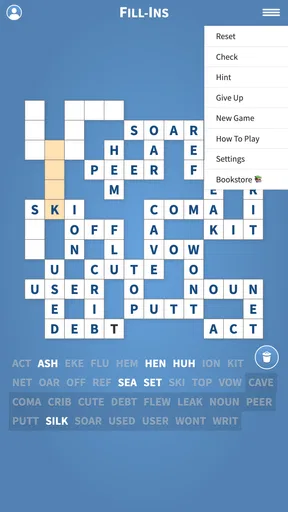
- Helpful hints can keep difficult boards from becoming frustrating.
- Clean interface makes letters and empty spaces easy to read.
- Works well for short sessions during commutes or breaks.
Cons
- Some puzzles may feel repetitive after extended play sessions.
- Hints can reduce the challenge if used too frequently.
- Small text may be uncomfortable on compact phone screens.
- Progress can become slow when later puzzles require more precision.
- Extra content or features may depend on in-app purchases.
FAQs for Fill-Ins · Word Fit Puzzles
What is Fill-Ins · Word Fit Puzzles?
Fill-Ins · Word Fit Puzzles is a word puzzle game based on fitting a collection of provided words into a crossword-style grid. Instead of solving clues, you use logic, word length, letter patterns, and crossing letters to determine where each word belongs. It is designed for players who enjoy vocabulary challenges, relaxing brain training, and traditional fill-in puzzles.
How do you play Fill-Ins · Word Fit Puzzles?
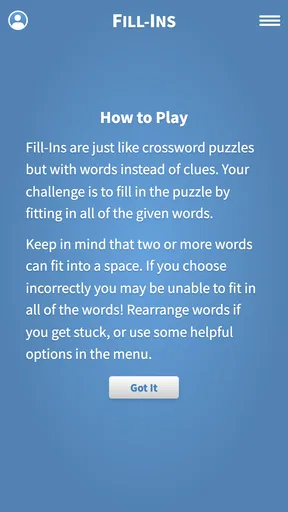
Each puzzle presents an empty grid together with a list of words that must be placed into the correct horizontal and vertical spaces. You select a word and position it where its length and crossing letters match. When you become stuck, checking completed intersections and testing longer or less common words can help. The objective is to fill the entire grid accurately.
Is Fill-Ins · Word Fit Puzzles suitable for beginners?
Yes, the game is generally accessible to beginners because it does not require advanced crossword knowledge or difficult clues. Early puzzles usually help players understand the placement system and gradually introduce more challenging layouts. However, later levels may require careful deduction, patience, and familiarity with word patterns, so the difficulty can still provide a satisfying challenge for experienced puzzle fans.
Can Fill-Ins · Word Fit Puzzles be played offline?
Many puzzle sessions can typically be enjoyed without a constant internet connection, which makes this type of game convenient for travel, commuting, or relaxing away from home. Nevertheless, features such as advertisements, cloud synchronization, updates, purchases, or other online services may require connectivity. It is best to open the app once online after installation and check which functions remain available offline.
Is Fill-Ins · Word Fit Puzzles free to download and does it contain ads?
The game can generally be downloaded at no initial cost, but free access may be supported by advertising or optional in-app purchases. Depending on the version and platform, purchases may provide hints, remove ads, or unlock additional content. Before downloading, review the listing for the current pricing, advertising information, supported devices, and purchase details, since these conditions can change with updates.


